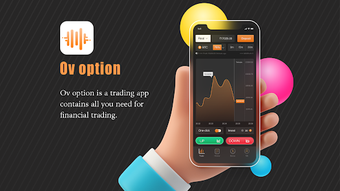

Download OV Option – trading app, financial trading, stock trading, crypto trading, free trading app, online trading, trading signals, trading tools, virtual trading, beginner trading
Overview
OV Option is a mobile trading application designed to support users in engaging with financial markets through a streamlined, accessible platform. Developed by Nirmal Baral, the app aims to lower entry barriers for individuals interested in trading, particularly those new to the space. It offers a comprehensive suite of tools intended to assist with market participation, including analytical support, trading signals, and educational materials. The app is positioned as a free solution, eliminating commissions, contract fees, and minimum deposit requirements, making it an attractive option for users seeking low-cost market access.
Target users include beginner traders who benefit from virtual accounts to practice without financial risk, as well as more experienced individuals looking for a lightweight, feature-rich platform. Real-world usage scenarios involve monitoring market movements, executing trades across various assets, and utilizing built-in indicators to inform decisions. The app also includes a communication channel to foster peer interaction and knowledge sharing among users. While the developer has not provided additional background on their experience or track record, the app’s focus on education and accessibility suggests a user-centric approach to financial technology.
Key Features & Capabilities
- Commission-Free Trading: The app allows users to trade without incurring commissions or contract fees, reducing overall trading costs.
- Virtual Trading Accounts: Beginners can practice trading in simulated environments, helping them build confidence and knowledge without risking real capital.
- Trading Signals and Indicators: Built-in analytical tools provide real-time signals and technical indicators to support decision-making.
- Comprehensive Educational Resources: Access to training materials, daily market analysis, and trading strategies to improve user competence.
- Multiple Asset Access: Users can trade a variety of financial instruments, including stocks and cryptocurrencies, through a single interface.
- 24/7 Customer Support: A dedicated technical support team is available around the clock to assist users with inquiries and technical issues.
- Fast Withdrawal Options: The app integrates multiple payment methods to facilitate quick and secure fund withdrawals.
These features collectively aim to create a self-contained trading environment. For example, a new user might start with a virtual account to test strategies, use daily analysis to understand market trends, and then transition to live trading when ready. The communication channel allows users to discuss insights and learn from others, enhancing the overall experience. While the app’s functionality is described in broad terms, its design suggests a focus on usability and educational empowerment.
User Interface, Workflow & Performance
OV Option features a user-friendly interface optimized for mobile use, enabling intuitive navigation across key functions such as account management, trading execution, and access to educational content. The layout appears structured to prioritize essential tools, with clear categorization of trading assets and analytical features. Workflow efficiency is supported by streamlined access to signals, indicators, and trading history, allowing users to act quickly on market opportunities.
Performance observations are based on general software behavior patterns. The app is designed to operate efficiently on Android devices, with a file size of 32.8 MB, suggesting a lightweight footprint. However, exact performance details such as CPU or RAM usage were not specified. Stability during prolonged use has not been independently verified. The developer did not provide additional system requirements or resource usage data, so users should expect standard performance levels typical of similar trading apps on Android.
Compatibility & System Requirements
OV Option is designed for Android devices, with the current version listed as 1.0.1. The installation size is 32.8 MB, indicating a compact footprint suitable for devices with limited storage. The developer did not specify exact hardware or OS version requirements beyond the platform, so compatibility may vary across different Android models and versions.
Users should ensure their device runs a supported Android version, though the specific minimum version was not provided. The app does not appear to require high-end hardware, given its modest file size. However, the developer did not specify resource usage details, so users should monitor performance based on their individual device capabilities. Compatibility information was partially provided, and further details may be available through official channels.
Pros and Cons
Pros
- Free to download and use with no commissions or contract fees
- Virtual accounts for risk-free learning and practice
- Comprehensive educational materials and daily market analysis
- Access to multiple trading assets including stocks and crypto
- 24/7 technical support for immediate issue resolution
- Fast withdrawal options via multiple payment methods
- Lightweight design with a small file size
Cons
- Available only on Android, limiting accessibility for iOS users
- Exact system requirements and performance metrics were not specified
- No information on data security or encryption protocols
- Platform-specific limitations may affect user experience on older devices
- Dependence on third-party market data sources for real-time updates
FAQ Section
Is OV Option available for iOS devices?
Currently, OV Option is only available for Android. There is no official release for iOS devices.
Is the app safe to use?
While the app is free and accessible, the developer did not provide information on data encryption, privacy policies, or security measures. Users should exercise caution and review available documentation before sharing personal or financial information.
How often does the app receive updates?
The app’s latest version is 1.0.1, released on May 15, 2024. The update frequency is not specified by the developer.
What type of license does OV Option use?
OV Option is distributed as a free application. The specific licensing terms were not disclosed in the provided information.
Can I use OV Option offline?
The app requires an internet connection to access market data, execute trades, and use real-time features. Offline functionality was not mentioned in the provided details.
Final Thoughts
OV Option presents a compelling option for individuals exploring financial trading, particularly those new to the space. Its combination of free access, virtual accounts, educational content, and multiple asset support makes it a versatile tool for learning and active trading. The app’s lightweight design and focus on user experience enhance accessibility across a range of Android devices.
While limitations such as platform exclusivity and lack of detailed system requirements exist, the app’s strengths in education, support, and cost efficiency outweigh these concerns for many users. It is particularly well-suited for beginners seeking a low-risk way to enter the trading market and for active traders looking for a simple, free platform.
Download OV Option now







